Overview
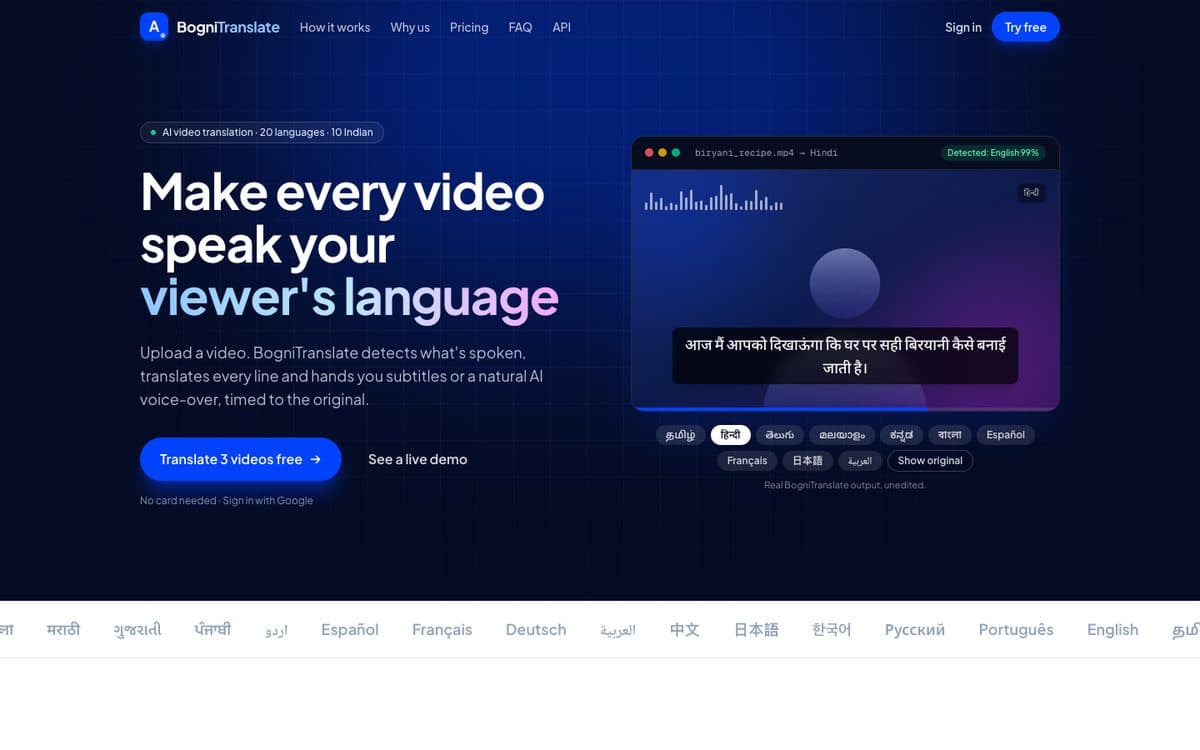
Upload a video and BogniTranslate detects the spoken language, translates it segment by segment into one of 20 languages, and returns subtitles, an in-browser player, and optionally an AI-dubbed or subtitle-burned video.
The problem
Most videos only reach people who speak the language they were recorded in. BogniTranslate makes a video speak its viewer's language, including the major Indian languages.
How it works
BogniTranslate is a full pipeline. ffmpeg pulls the audio out, Whisper large-v3 transcribes it and detects the language, and each segment is translated on its own so the subtitle timing stays aligned with the speech.
Translation runs on IndicTrans2 for English and Indian-language pairs and MADLAD-400 for the rest, both licensed for commercial use. The voice for dubbing comes from Azure AI Speech, time-aligned to the original speech, and the result can be muxed into a dubbed mp4 or burned into the video as subtitles.
On an M3 Pro MacBook, a 102-second video translated into Tamil with dubbing and burned subtitles went from about 116 seconds to about 26 seconds after moving transcription and translation onto the GPU and running voice requests in parallel.
What it does
- Automatic spoken-language detection
- Translated subtitles as .srt and .vtt
- In-browser player with the translated subtitles
- Optional AI-dubbed mp4, time-aligned to the original speech
- Optional mp4 with burned-in subtitles
- 20 languages, including Tamil, Telugu, Hindi, Malayalam, Kannada and Bengali
Built with
- Python
- FastAPI
- Whisper large-v3
- IndicTrans2
- MADLAD-400
- Azure AI Speech
- ffmpeg
- React
- Vite
- Tailwind
In numbers
102-second video into Tamil with dubbing and subtitles: about 116 s down to about 26 s on an M3 Pro
Try it live
The live version opens in a new tab, so you can explore it at full size.
Open BogniTranslate ↗